The End of Isolated Apps: How Claude's Jump Between Excel and PowerPoint Signals True Autonomous AI Workflows
For years, Artificial Intelligence, particularly Large Language Models (LLMs), operated primarily within defined text boxes. We asked ChatGPT to write an email, or asked Claude to summarize a document. These were powerful, but ultimately isolated tasks. The next frontier in AI is not just about generating better text; it’s about executing complex, multi-stage projects that span different digital tools. The recent announcement that Anthropic’s Claude can now independently switch between applications like Excel and PowerPoint is more than just a neat parlor trick—it represents a fundamental shift toward true, multi-modal workflow automation.
This development signals the emergence of AI that doesn't just assist with one step, but manages the entire analytical pipeline: from crunching raw numbers in a spreadsheet to constructing the finalized communication deck.
The Leap: From Single Tool to End-to-End Automation
Imagine the typical business process of quarterly reporting. An analyst must:
- Import raw sales data into Excel.
- Clean, aggregate, and run regressions (analysis).
- Export key findings or charts.
- Open PowerPoint.
- Manually copy/paste/reformat charts and write summary bullet points.
When AI tools first arrived, they could handle steps 2 (analysis prompting) or step 4 (slide drafting). The challenge was the handoff—the "context switching" required by the human user to bridge the gap between the data environment (Excel) and the presentation environment (PowerPoint).
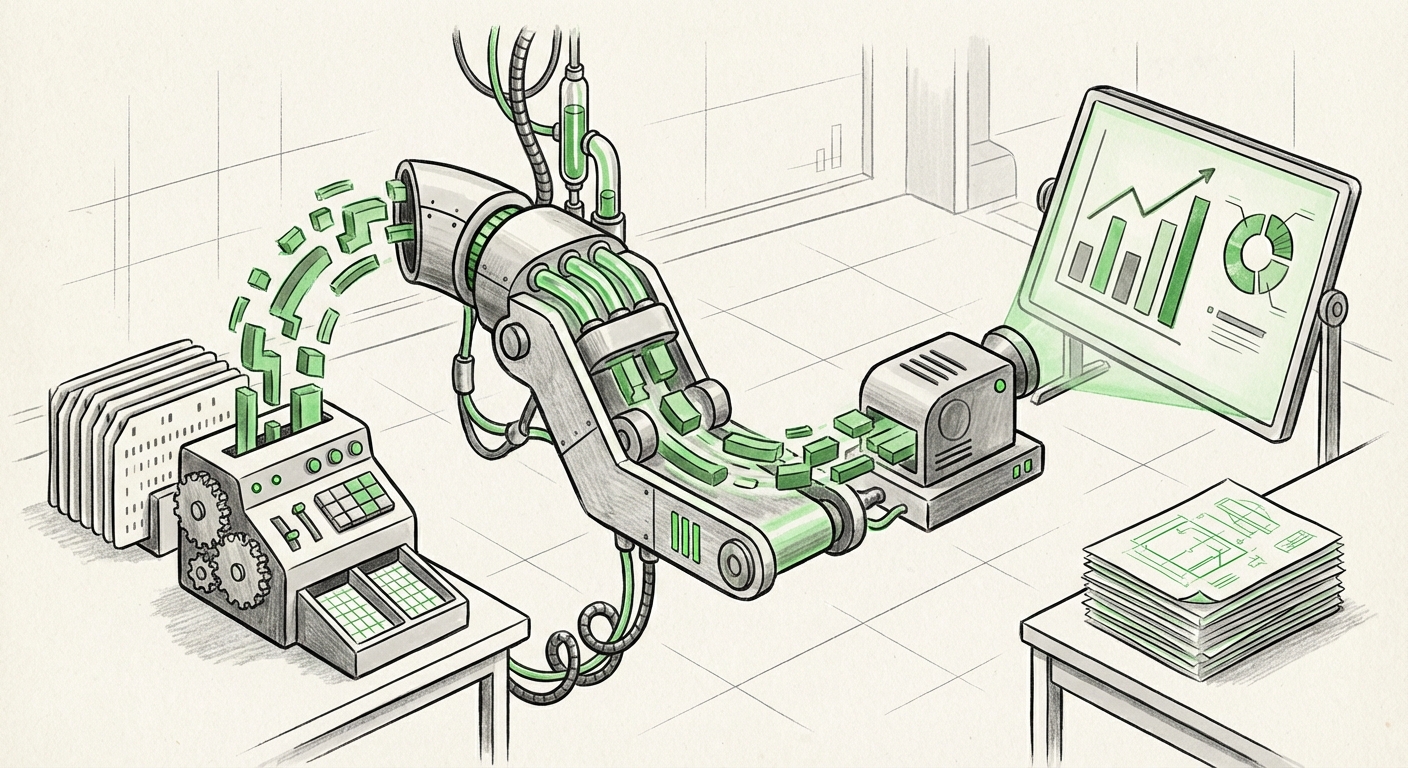
Claude’s new capability bypasses this human intermediary. When it can "jump" independently, it means the AI is not just answering a prompt; it is executing a sequence of tool functions. It understands that the output of the "Excel engine" must become the input for the "PowerPoint engine." This is the definition of an autonomous digital assistant.
Understanding the Mechanism: The Power of Tool Orchestration
For our more technically inclined readers, this functionality hinges on sophisticated **tool-use frameworks** and advanced **function calling**. In simple terms, the LLM is trained not just on language, but on the *interface* and *capabilities* of external software.
When a user says, "Analyze Q3 marketing spend and build a presentation," the AI reasons:
- Goal 1 (Analysis): I need quantitative data manipulation. I will invoke the Excel tool.
- Action in Excel: Run pivot table on budget data, calculate YoY variance.
- Goal 2 (Communication): I need to visualize these findings. I will invoke the PowerPoint tool.
- Action in PowerPoint: Create a slide titled "Variance Summary," insert the calculated chart, and draft executive talking points based on the data interpretation.
This ability to plan, execute, and switch context across application boundaries—what we call **tool orchestration**—is a significant maturation of LLM architecture, moving them from sophisticated text generators to genuine workflow executors.
The Competitive Arena: Enterprise Integration Heats Up
Anthropic’s announcement does not exist in a vacuum; it intensifies the race among major AI players to own the enterprise workflow.
The Incumbent Challenge: Microsoft Copilot
The primary benchmark for this technology is undeniably Microsoft Copilot, deeply embedded within the 365 ecosystem. Articles analyzing Copilot’s cross-app functionality confirm this area is critical. While Copilot is incredibly powerful within its suite, the reported independence shown by Claude suggests a potential advantage in seamless contextual transfer between distinct functions—spreadsheet processing versus slide rendering.
For Enterprise IT Leaders, the question becomes one of vendor lock-in versus frontier innovation. Do they rely on the deeply integrated but potentially slower evolution of Copilot, or do they adopt best-in-class external models like Claude that might offer a more agile, workflow-agnostic approach?
For further context on the enterprise standard, one should review current benchmarks on Microsoft 365 Copilot capabilities regarding data aggregation and presentation creation.
The Rivalry with Google Gemini
Simultaneously, Google is pushing Gemini deep into its Workspace suite (Sheets and Slides). This competition is vital because it forces rapid iteration. As soon as one platform demonstrates superior cross-app reasoning, competitors rush to match or exceed that feature set. This rivalry ensures that the pace of integration between analysis, creation, and communication tools will only accelerate in the coming year.
For Investors and analysts, tracking the rollout and user satisfaction of **Gemini for Google Workspace** provides a real-time pulse check on which approach—deep native integration versus external model orchestration—is winning the workflow war.
Societal Implications: Productivity Tsunami and Role Transformation
When AI automates the tedious bridge between calculation and communication, the implications for white-collar productivity are profound.
Compression of the Analysis-to-Action Cycle
The time lag between collecting data and presenting actionable insights is often the longest bottleneck in decision-making. If Claude can perform the analysis and immediately format the presentation, this lag shrinks from hours or days to mere minutes. This speed advantage is not trivial; it allows businesses to react faster to market changes, identify anomalies sooner, and iterate on strategies with unprecedented agility.
The Future of the Knowledge Worker
This development directly targets tasks traditionally performed by junior analysts, data processors, and anyone whose job primarily involves transforming structured data into narrative reports. Articles predicting automation vulnerability consistently point to this exact pipeline.
For Business Strategists and HR Leaders, the actionable insight here is clear: the value proposition of the knowledge worker must rapidly shift. If the AI handles the *how* (formatting, basic analysis), humans must focus entirely on the *why* (strategic interpretation, ethical oversight, novel hypothesis generation). Roles won't disappear entirely, but they will undergo a radical upskilling requirement, moving away from "data presentation" toward "strategic consulting enabled by AI."
Actionable Insights for Adoption and Strategy
How should organizations prepare for a world where AI agents can autonomously manage cross-application tasks?
1. Audit Your Bottlenecks, Not Just Your Tools
Don't just look at which software is slowest. Identify where human hands *must* intervene to transfer context. If that handoff point exists between data preparation (Excel/Sheets) and reporting (PowerPoint/Slides), that is the immediate target for leveraging tools like Claude or Copilot. Success in implementation will be measured by the reduction of these tedious manual bridges.
2. Prioritize Agentic Competency Over Feature Parity
It is easy to get distracted by which product has more features. The real strategic advantage lies in the AI’s reasoning depth—its ability to decide correctly which tool to use and how to chain the outputs. Businesses must test models rigorously on complex, multi-step scenarios rather than simple, single-prompt requests. Can the AI recover gracefully when the Excel data is messy? Does it know how to ask for clarification, or does it fail silently?
3. Invest in Prompt Engineering for Workflow Definition
If the AI is becoming an autonomous assistant, the way we communicate with it must evolve from simple commands to detailed workflow definitions. Instead of "Make a chart," prompts must become more like scope documents: "Using data range X, create a stacked bar chart comparing Q1 and Q2 performance, ensuring the color palette matches the corporate guidelines, and summarize the top three variances on the summary slide." Training employees on this new level of communication will be crucial.
The Inevitable Convergence
The ability for an LLM to navigate seamlessly between Excel and PowerPoint is a pivotal moment. It proves that the industry is moving away from viewing AI as a helpful search engine or text editor, and toward seeing it as a comprehensive **digital colleague** capable of managing integrated projects.
This integration of analysis and presentation tools is merely the first highly visible step. We can anticipate soon seeing AI mastering workflows that involve databases (SQL), communication platforms (Email/Slack), and even code repositories. The era of isolated applications, where the human must constantly serve as the glue between software silos, is rapidly drawing to a close. The future of work will be defined by which organizations master orchestrating their new, autonomous AI workforce.