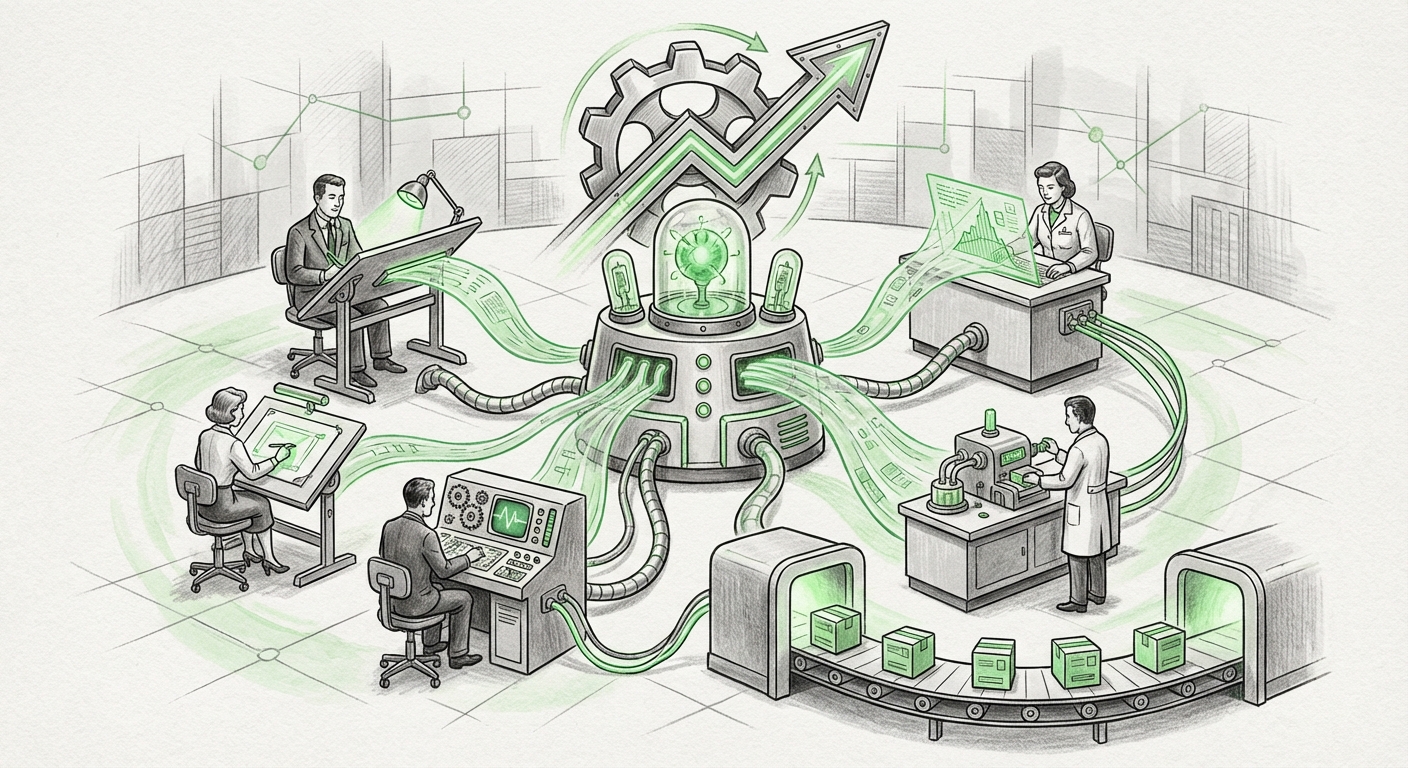
RunningTab and Environment-Side Tabs: The Quiet Shift That Could Change How AI Gets Work Done
For the last few years, most people have experienced AI the same way: you open a chat box, you type a request, and the AI answers. It is helpful, but it is also a little like hiring a brilliant consultant who has to stand outside your office and shout advice through the door. They can tell you what to do. They cannot reach your desk, open your files, or flip through the tools you are actually using.
RunningTab points at a different idea. Published on October 8, 2026, the concept is built around what it calls direct workspace interaction with environment-side tabs. That phrase is dense, so let's unpack it. And once you unpack it, you start to see why this small technical framing may matter far more than it first appears.
What "Environment-Side Tabs" Actually Means
Most of us think of a tab as something that lives inside an app. Your browser has tabs. Your code editor has tabs. Your terminal has tabs, or windows, or panes. The tab belongs to the program. The program owns it, draws it, and decides what goes in it.
RunningTab flips that idea. Instead of the tab being something a single app creates for itself, the tab becomes part of the environment, the shared space where work is actually happening. The workspace is the container. Tabs are how you move around inside it. And because the tabs live in the environment rather than inside one program, something else can reach for them directly.
That "something else" is the important part. When a tab belongs to a single application, only that application can really use it. When a tab belongs to the workspace itself, any participant in that workspace, including an AI system, can interact with it in a direct way, without going through a series of clumsy workarounds.
Think of it like a shared desk
A normal setup is a row of locked drawers. Each drawer belongs to one tool. If you want the AI to look at what's in drawer three, you have to describe drawer three to the AI, or hand it a copy of the contents. With environment-side tabs, the desk itself is shared. The AI can look at what is on the desk, and it can pick things up and put them down in a way that matches how a human would.
This is not just a convenience feature. It is an architectural choice, and architecture tends to decide what is possible later.
The Real Trend: AI Moving From Conversation to Participation
The biggest story in AI over the past several years has been a slow migration. First, models got good at talking. Then they got good at reasoning. Then they got tools, the ability to call a function, search something, run a calculation. Each step moved AI closer to being a participant in work rather than a commentator on it.
RunningTab sits squarely on that line. Direct workspace interaction is the natural next step after tool use. Tools are narrow: a tool lets the AI do one specific thing you have pre-approved. A workspace lets the AI see the full context of a job, the open documents, the running processes, the state of the environment, and act inside it.
The difference matters because context is where most AI failures come from. A model that has to guess what you are looking at will guess wrong often. A model that can see the actual workspace has far less to guess about. The gap between "helpful assistant" and "reliable coworker" is largely a context gap, and environment-side tabs are a way of closing it.
Why the "Direct" Part Is the Hard Part
Anyone who has wired up an AI to a set of tools knows the pain. You build connectors. You describe each action. You handle permissions. You write glue code that breaks every time one of the tools updates. It works, but it is brittle, and it puts the burden on whoever is integrating.
Direct interaction removes a layer of that glue. If the workspace itself is the interface, then the AI does not need a custom adapter for every single program. It needs to understand the workspace. That is a much smaller, much more stable surface to build against.
This is where the promise gets interesting for builders. A smaller surface means:
- Less brittle automation. Fewer custom connectors means fewer things that snap when an underlying tool changes.
- Better context for agents. An agent that sees the whole workspace can plan better than one working from a summary.
- Consistent behavior across tools. If every tool lives in the same environment model, the agent does not need to relearn the world for each one.
- Easier human oversight. When everything happens in one shared space, it is easier for a person to watch what is going on.
That last point is easy to skip past, but it may be the most important one.
The Oversight Problem Nobody Wants to Talk About
We are heading into a period where AI systems will take multi-step actions: editing files, running commands, moving data, sending messages. The uncomfortable truth is that most of today's setups make those actions hard to watch. The AI works in its own space, you see a summary at the end, and you hope for the best.
Environment-side tabs change that picture in a useful way. If the agent's actions happen in the same environment the human is using, then the human can see them as they happen. The work is not hidden behind an API call. It is happening on the desk, in front of you.
That does not automatically make anything safe. It makes it visible. And visibility is the prerequisite for every other kind of control, review, rollback, approval, interruption. You cannot govern what you cannot see.
Three practical questions every team should ask
Any organization thinking about adopting this style of AI interaction should start with three questions, and none of them are about model quality:
- What can the agent see? Which parts of the workspace are in scope, and which are walled off?
- What can the agent do? Read-only access and write access are very different levels of trust.
- How do we stop it? Is there a clear, fast way for a human to interrupt and undo?
These questions sound basic. In practice, a surprising number of AI deployments cannot answer them cleanly, which is exactly why a workspace-first design is worth paying attention to.
What This Means for Businesses
The business implication is straightforward: the value of AI in the enterprise tracks how deeply it can participate in real work. A chatbot that answers questions is useful. An AI that can operate inside the same space where employees do their jobs is a different category of asset.
For software teams, the appeal is obvious. Development work is full of context that lives in the environment, what is open, what is running, what changed, what failed. Direct workspace interaction gives AI a natural place to stand inside that flow instead of beside it.
For operations, support, and back-office teams, the appeal is less obvious but just as real. Any job that involves moving between several tools and keeping track of state is a job where an agent with real context beats an agent with a summary.
But there is a catch. Software that participates in a workspace inherits the workspace's permissions. If the environment is messy, shared credentials, unclear boundaries, no audit trail, then the AI inherits that mess and scales it. The environment is the security model. That idea has been true for a while. RunningTab just makes it harder to ignore.
The Bigger Shift: From Apps to Environments
Zoom out and a pattern appears. The technology industry spent decades organizing work around applications. You opened the app, and the app defined what you could do. The workspace idea flips the hierarchy. Now the environment comes first, and apps are things that live inside it.
This is not a brand-new idea, operating systems have always been environments, and browser-based workspaces have been creeping in that direction for years. What is new is that AI agents force the question. An agent cannot be plugged into a world where every app is a sealed box. It needs a shared model of where the work lives.
Once that shared model exists, the downstream effects tend to compound:
- Agents become portable. An agent built for one workspace can move to another without a rewrite.
- Context becomes a product. Whoever owns the workspace owns the richest source of context in the stack.
- Interfaces get thinner. If the environment handles coordination, individual apps can do less and say more.
- Trust gets measurable. Clear boundaries inside a workspace are easier to test than vague promises about an AI's behavior.
What to Watch Next
RunningTab is a directional signal more than a finished answer. The questions it forces are the ones the whole field will have to answer soon:
Who controls the environment? If one vendor owns the workspace, they own the context. That is a lot of leverage, and buyers should think about it before it becomes a switching cost.
How do standards form? Direct workspace interaction only scales if different tools agree on what a workspace is. Without shared conventions, we get a new round of glue code with a nicer name.
How do people stay in the loop? The whole appeal is that AI acts where the human can see it. If that visibility gets optimized away for speed, the benefit disappears.
What happens to junior work? If agents take on the multi-step, context-heavy tasks that used to be how people learned their jobs, organizations need a plan for how humans build that judgment.
The Takeaway
The most consequential changes in AI are rarely the ones that make headlines about a smarter model. They are the ones that quietly change where AI is allowed to stand. RunningTab's framing, direct workspace interaction with environment-side tabs, is exactly that kind of change. It moves AI from the doorway into the room.
That shift brings real benefits: better context, less brittle integration, more visible work, and agents that can finally operate where the job actually happens. It also brings real risk, because an AI inside your environment is an AI inside your permissions.
The teams that win the next phase will not be the ones with the biggest model. They will be the ones who designed a workspace clean enough that an agent can be trusted inside it, and clear enough that a human can always see what it is doing.