Google's Video AI Shift: From Prompt Tricks to Understanding What You Actually Need
The first wave of video AI was a magic trick. You typed a sentence, waited a bit, and a short clip appeared. It was strange, impressive, and mostly useless for real work. The clip rarely matched exactly what you pictured. You would try again. You would tweak the words. You would give up and open an editing app.
That era is ending. The next goal for video AI is not better-looking clips. It is understanding what a person needs while they are in the middle of doing something. That is a much harder problem, and a much more valuable one. It moves video AI from a toy for creative demos to a tool that sits inside real workflows, editing, training, design, support, engineering, and everyday office work.
Here is what that shift means, why it matters, and how businesses should get ready.
The Big Shift: From "Make Me a Video" to "Help Me Finish This"
Today, most video AI is prompt-first. A person describes a result, and the model produces a file. The system has no idea why you want it. It does not know what project you are on, what you tried five minutes ago, what your team agreed on, or what "good enough" looks like for your client.
The new direction flips this around. Instead of waiting for a perfect prompt, the AI watches the work as it happens and infers intent. If you are cutting a product demo, it can tell you are struggling with a slow middle section. If you are recording a training module, it can notice you skipped a step. If you are assembling slides for a live event, it can suggest the clip length that actually fits the time slot.
This is the difference between a generator and a collaborator. A generator needs instructions. A collaborator reads the room.
Why "As They Work" Is the Hard Part
Understanding intent during work is far harder than generating a nice clip. Three things make it difficult.
1. Context is scattered
When you work, your intent lives in many places at once: the document you have open, the messages you sent, the files in your folder, the meeting you just left, the deadline on the calendar. A video system that only sees a text prompt is blind to almost all of it. To be useful, it needs to connect these signals, carefully, and with permission.
2. Intent changes mid-task
People rarely know exactly what they want at the start. They figure it out by doing. A good assistant notices the pivot. A bad one keeps generating the thing you already rejected. Watching the work, not just the request, is the only way to keep up.
3. Mistakes are expensive to notice
In video work, small errors are hard to spot. A logo in the wrong corner. A cut that breaks continuity. A claim in a training clip that no longer matches policy. Work-aware AI can flag these in the moment, before a video ships to ten thousand employees or a million customers.
Three Layers of a Work-Aware Video System
It helps to break the idea into layers. Each one builds on the last.
- Perception: The system understands what is on screen and in the audio, objects, faces, text, actions, tone.
- Situational awareness: It understands the task around the screen, the app, the project, the stage of work, the recent history.
- Action: It does something useful, suggests a cut, drafts a version, labels a clip, writes a summary, flags a risk, or asks a short clarifying question.
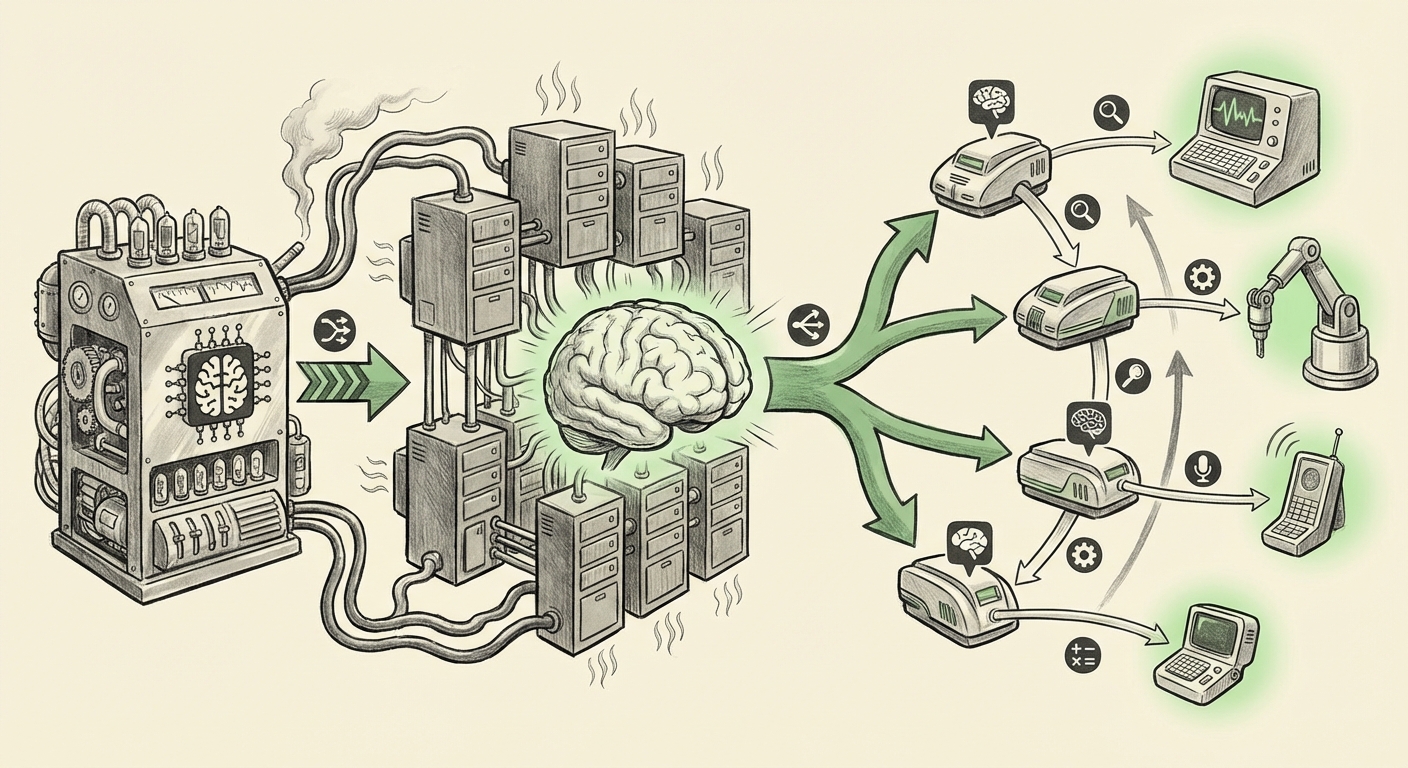
Most current tools are strong at layer one and weak at layers two and three. The race now is to build the middle layer: the part that turns perception into genuine help.
What This Means for Businesses
The practical effects will show up faster than most teams expect. Video is already the most expensive common format to produce and the hardest to search. Work-aware video AI attacks both problems at once.
Video becomes searchable and reusable
Most companies sit on years of recordings, webinars, training sessions, calls, events, interviews. Almost none of it is usable, because nobody can find the right thirty seconds. Intent-aware systems can index by meaning, not just keywords. "Show me where we explained the refund policy" becomes a real question with a real answer.
Production costs drop, but quality bars rise
When rough cuts and first drafts take minutes instead of days, the bottleneck moves. The hard part is no longer making the video. It is deciding what the video should say. That puts a premium on clear thinking, good scripting, and strong editorial judgment, skills that were often secondary in video teams.
Training and onboarding get personal
A system that watches how someone works can spot where they get stuck and offer a short clip for exactly that moment. Instead of assigning a 40-minute module, you deliver 90 seconds at the point of need. This is one of the highest-value uses, and one of the easiest to measure.
Small teams look bigger
A five-person marketing team with strong video assistance can produce the volume that used to need a production crew. That levels the playing field, but it also floods channels with content. Expect attention to get scarcer, and expect platforms and buyers to reward genuine substance over volume.
New jobs appear at the seams
The roles that grow are the ones that connect AI output to human judgment: prompt and workflow designers, AI output reviewers, content librarians who decide what gets kept and what gets thrown away, and compliance leads who set the rules for what the system is allowed to see.
Actionable Steps: How to Prepare Now
You do not need to wait for a finished product to get ready. Most of the work is organizational.
- Audit your video archive. Count the hours, note the topics, and identify the ten questions your team answers most often. That is your first use case.
- Write down your permission rules. Decide what the AI may look at, screen, audio, calendar, messages, and what is off limits. Put it in writing before a vendor asks.
- Pick one narrow workflow. Training clips, product demos, or support answers. Go deep on one before going wide.
- Set a quality checklist. Humans should still sign off on anything customer-facing. Define what "ready to ship" means so reviewers are consistent.
- Measure time saved, not clips made. The vanity metric is output. The real metric is hours returned and errors caught.
- Keep a human in the loop for anything sensitive. Legal, medical, safety, and HR content needs review, full stop.
The Risks Worth Taking Seriously
Work-aware AI is more useful than prompt-only AI precisely because it sees more. That is also the risk.
Privacy comes first. A system that watches your screen knows a lot. Users need clear controls, visible indicators, and easy ways to pause or delete. Companies that skip this will lose trust fast, and trust is hard to win back.
Over-helping is a real failure mode. An assistant that interrupts constantly is worse than no assistant. The best systems will learn when to stay quiet, and that restraint will be a selling point.
Accuracy still matters. A confidently wrong suggestion in a training video can spread bad information at scale. Verification has to be built into the workflow, not bolted on at the end.
Skill drift is subtle. If the AI always fixes the cut, junior editors may never learn why the cut was wrong. Teams should protect deliberate practice, especially for people early in their careers.
What Comes Next for AI
This shift is bigger than video. It is a template for where AI is heading overall: from answering requests to understanding situations. Text tools went through the same arc. They started as chatbots that needed perfect prompts and are becoming assistants that know your documents, your projects, and your habits.
Video is the hardest version of this problem, because it is rich, continuous, and expensive to process. If video AI can learn to read intent during work, the same approach will spread to audio, design files, code, spreadsheets, and physical spaces. The long-term winners will not be the models that generate the prettiest output. They will be the systems that understand the most context with the least intrusion.
For buyers, that means a change in how you evaluate tools. Stop asking "how good does the output look?" Start asking: Does it understand my work? Can I control what it sees? Does it help at the moment I need it? And can I trust it when nobody is watching?
The Bottom Line
Video AI is graduating from a demo to a colleague. The goal is no longer a clip that looks right. It is help that arrives at the right moment, for the right task, with the right level of control. Companies that prepare their archives, their permission rules, and their review processes now will get real value early. Those that wait will be handed the same tools and wonder why the results feel generic.
The technology will keep improving on its own. The advantage will come from the messy, human work around it: clear goals, clean data, and honest rules about what the machine is allowed to see.